
How to Plan a Zoom Wedding: A Simple Guide for a Joyful Celebration
Planning a wedding can be exciting, but the rise of virtual celebrations like Zoom weddings has changed the game, especially during the COVID-19 pandemic. With social distancing becoming the norm, many couples are opting for this innovative solution to say “I do” while still including their loved ones.
To plan a successful Zoom wedding, focus on creating a meaningful experience for you and your guests while embracing the convenience of online tools.
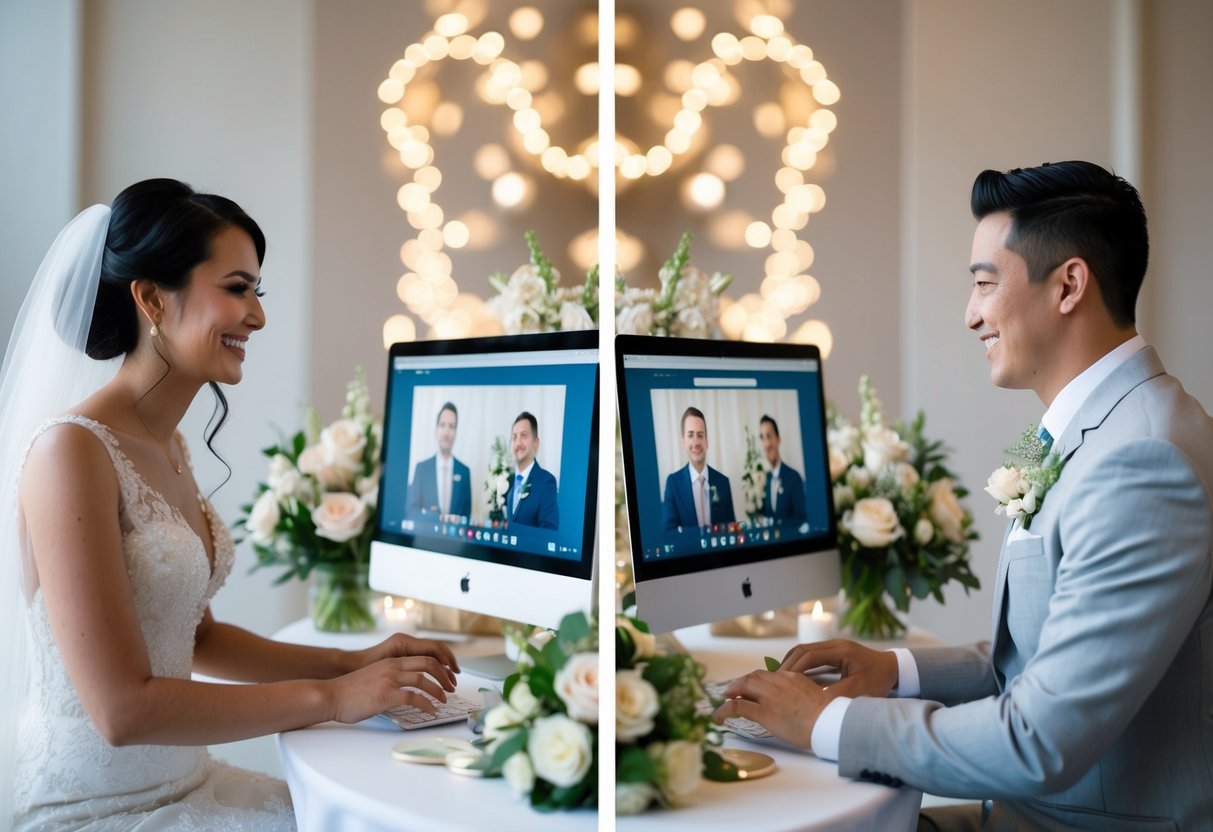
You can personalize your virtual wedding with unique Zoom wedding ideas that capture your personality. Think about incorporating traditional elements, like a cake cutting or your first dance, while engaging friends and family from afar.
As you navigate the wedding planning process, remember to choose the right time, set up a beautiful background, and ensure that your technology is ready to handle the celebration.
Whether you’re going for a simple backyard ceremony or a more elaborate online wedding event, it’s all about creativity and connection. Make your Zoom wedding a memorable occasion that reflects your love story, no matter the distance.
Setting the Scene for Your Zoom Wedding
Creating the right atmosphere for your Zoom wedding is essential for making your day special. From choosing a charming location to adding beautiful decorations, every detail counts.
Choosing the Perfect Ceremony Location
Your ceremony location sets the tone for your virtual wedding. Look for a spot in your home that has good lighting and a clean background. A well-lit room with natural light can enhance the video quality.
Consider using a space that reflects your personality. This could be a living room filled with your favorite books, a garden with blooming flowers, or even a cozy balcony. Make sure the area is free from distractions, allowing focus on you and your partner during the ceremony.
Designing Your Virtual Backdrop
Your virtual backdrop is important because it is what guests will see during the ceremony. Choose a simple yet elegant background. If you have a neutral wall, it can work great.
You can also create a custom backdrop using fabric or a decorated screen. Adding elements like fairy lights or soft drapes can make it feel festive. Don’t forget to consider the camera angle. Ensure the backdrop looks good from the viewpoint of your camera.
Organizing Floral Arrangements and Decor
Floral arrangements can enhance the beauty of your Zoom wedding. Choose flowers that match your wedding colors or theme. Simple bouquets or centerpieces can add a touch of elegance.
Position floral arrangements in front of you, but not too close to the camera. They should complement the scene without overshadowing you. Consider using plants or seasonal flowers for a personal touch.
Additional decor can include candles, framed photos, or mementos that showcase your love story. Thoughtful decorations will impress your guests and create a warm, inviting atmosphere for your special day.
Legalities and Documentation
Planning a Zoom wedding involves understanding the legal requirements and obtaining the right documentation. It’s essential to ensure that your marriage is recognized legally, so let’s dive into what you need to know.
Understanding Virtual Wedding Legalities
The legality of virtual weddings can vary by state. To make your Zoom wedding official, you need to ensure a few key things are in place.
First, check your state’s laws regarding online ceremonies. Some states have adapted their regulations to allow virtual weddings, while others may have restrictions.
Make sure you have an authorized officiant who can perform the ceremony. This could be a judge, religious leader, or another approved individual.
Additionally, confirm whether your guests’ presence via video is acceptable under the law. Understanding these factors will help you plan a smooth virtual wedding that is recognized as a legal marriage.
Procuring Your Marriage License and Certificate
To get married, you’ll first need a marriage license. This involves visiting your local clerk’s office with your prospective spouse.
Bring valid identification, such as a driver’s license, and any required documents tailored to your state.
Ensure you fill out all necessary forms accurately. You may have to pay a small fee for the license, and remember that waiting periods can differ.
After your ceremony, the officiant will fill out and sign your marriage certificate. This important document proves your legal marriage. Don’t forget to request certified copies for your records!
Technical Arrangements for a Seamless Experience
Preparing the technical side of your Zoom wedding is crucial for a smooth experience. This includes choosing the best platform and ensuring everything runs well during the ceremony. Taking these steps can help for a memorable event.
Selecting the Right Platform for Your Wedding
While Zoom is a popular choice for a virtual wedding, consider other platforms too. Options like Facebook Live and Google Meet also provide easy access for guests.
Each has features that might suit your needs better, like live streaming on YouTube, which can reach a larger audience.
Think about what works best for your ceremony. If you want to allow viewers to interact, Zoom is great for its chat features. For a more broadcast-style experience, Facebook Live might be ideal.
Ensuring a Smooth Virtual Ceremony with Technical Preparation
Technical preparation is key for a successful Zoom wedding. First, check your internet connection. A stable connection prevents interruptions during your ceremony. Consider having a backup option, like mobile data.
Next, set up your devices. Use a laptop or tablet for better video quality over a phone.
Ensure your camera is at eye level and that lighting is good so everyone can see you clearly. You might want to add decorations or a background that fits the wedding theme.
Finally, test everything beforehand. Invite a few friends to join a test meeting. This helps you get comfortable with the features and to identify any issues.
Conducting a Virtual Rehearsal
A virtual rehearsal is just as important as an in-person one. Schedule your rehearsal a day or two before the wedding and include all key participants, like the officiant and anyone else who will speak.
During the rehearsal, practice your entrance and any special moments. Ensure everyone knows how to join the meeting and use features like mute and unmute. This reduces confusion on your big day.
Encourage your participants to dress up as they would for the actual ceremony. This helps set a festive atmosphere. Good preparation leads to a more enjoyable experience for you and your virtual guests.
Invitations and Guest Management
When planning a Zoom wedding, it’s essential to focus on invitations and managing your guests. You’ll want to create clear virtual invitations and keep track of who will join your celebration.
Creating and Sending Your Virtual Wedding Invitations
Start with your virtual wedding invitation. Make sure it includes all the important details: who the couple is, the date and time of the ceremony, and the Zoom link for joining.
You can use online platforms like Paperless Post or Canva to design an eye-catching invitation. Consider personalizing your invitations to make them special. Adding a photo or a unique message can make guests feel more connected.
Don’t forget to send reminders as the date approaches, ensuring everyone is updated and excited about your wedding day!
Managing Guest Count and Participation
Managing your guest count is key for a successful Zoom wedding. Decide how many people you’d like to invite and make a list.
Virtual weddings can include more people than in-person events, so take advantage of this!
Use Zoom’s features to manage guests effectively. You can send out a quick guide on how to join the event. It may help those who are less familiar with the platform.
If you’re worried about tech issues, assign a trusted friend to support guests and handle any problems that arise during the ceremony. This way, everyone can join and enjoy your special day without stress.