
Is It Ok to Ask Wedding Guests to RSVP Online? Exploring Modern Invitation Etiquette
As you plan your wedding, one of the big questions might be whether it’s okay to ask your guests to RSVP online. Many couples find that using an online RSVP system can streamline the planning process and make it easier for guests to respond. This modern approach not only saves time but can also help keep all the responses organized in one place.

With the rise of technology, traditional RSVP etiquette is shifting. Your wedding website can serve as a hub where guests can RSVP quickly and even ask questions. Plus, it allows you to keep track of who’s coming and who isn’t without sifting through paper cards.
Embracing online RSVPs can reflect a more relaxed and contemporary wedding style, making your planning experience smoother and more enjoyable.
Understanding Online RSVPs

Using online RSVPs can change how you manage guest responses for your wedding. This method offers various advantages while also introducing some etiquette considerations.
Benefits of Digital RSVPs
Choosing digital RSVPs brings several benefits to your wedding planning. First, it can save you time. You won’t have to chase down responses with phone calls or reminders. With an RSVP website, your guests can respond easily at their convenience.
This method can also save money. You can skip printing and mailing physical invitations with RSVP cards. Instead, you can direct guests to your wedding website for their responses.
Digital RSVPs allow you to monitor responses in real-time. This means you can keep track of your guest list efficiently and make necessary adjustments. Overall, online RSVPs streamline the entire process.
RSVP Etiquette in the Digital Age
While online RSVPs are convenient, some etiquette still applies. Always ensure your wedding website is easy to access. Provide clear instructions on how to RSVP, which will help everyone feel comfortable using the digital option.
It’s also polite to offer alternative methods for those who may struggle with technology. Including a phone number or email for responses can accommodate guests without online access.
Always follow up with guests who haven’t responded as the date approaches. This ensures you have a solid headcount while showing consideration for their time. By balancing digital convenience with traditional etiquette, you can create a smooth communication experience for everyone.
Setting Up Your Wedding RSVP Website

Creating an online RSVP platform for your wedding can make managing responses easier. It helps you keep track of who is coming and who needs reminders. Here are key steps to set up your wedding RSVP website effectively.
Selecting the Right Platform
Choose a user-friendly platform for your wedding website. Many options exist, such as The Knot, Zola, or personal wedding sites. Look for features like customizable RSVP forms and guest list management.
Check for mobile compatibility so guests can RSVP easily from their phones. It’s also good to ensure the platform supports online payments if you want to collect fees for guests. Compare different platforms to find one that suits your needs best.
Creating a User-Friendly RSVP Form
Your RSVP form should be simple and straightforward. Begin with essential fields: guest names, number of attendees, and meal preferences. You can also add fun questions, like song requests or whether guests need accommodations.
Make sure guests can easily navigate your form. Clearly label each section and keep it short to avoid overwhelm. Consider adding a confirmation page that thanks guests for responding. This makes the experience feel friendly and personal.
RSVP Deadline and Reminders
Set a clear RSVP deadline that gives your guests enough time to respond. Typically, aiming for 3-4 weeks before the event is effective. This ensures you have enough time for final arrangements.
Send gentle reminders as the RSVP date approaches. A simple, friendly message can prompt those who haven’t responded. You can share a reminder through email or social media. Keeping communication light and warm encourages timely responses and helps you organize your guest list smoothly.
Incorporating RSVP Cards within Wedding Invitations
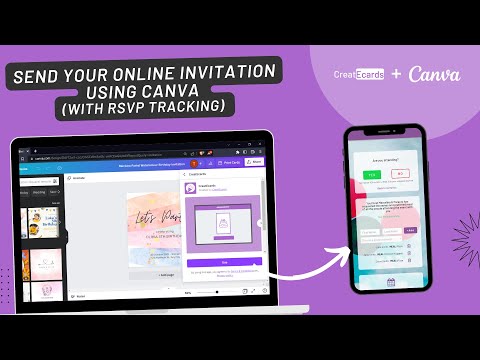
Including RSVP cards with your wedding invitations makes it easy for guests to respond. You want to ensure that your cards match your overall theme and clearly communicate meal choices and dietary restrictions. Let’s look at how to design these cards and gather important information from your guests.
Designing RSVP Cards That Complement Your Invites
When designing RSVP cards, choose a style that matches your wedding invitations. Whether your theme is rustic, elegant, or modern, the design should feel cohesive.
Tips for designing RSVP cards:
- Size: Make sure your RSVP card fits well within the envelope with your mailed invitation.
- Font: Use the same font types and sizes as your wedding stationery for a unified look.
- Color Palette: Stick to your wedding colors for a harmonious design.
Don’t forget to include a space for guests to write their names and the RSVP deadline. This ensures guests provide clear responses while also matching your design aesthetics.
Clarifying Meal Preferences and Dietary Restrictions
It’s helpful to specify meal choices on your RSVP cards. This assists you in planning, catering, and accommodations for everyone at your wedding.
Consider these points:
- Meal Options: List the main dish options, such as chicken, beef, or vegetarian, to give guests choices.
- Dietary Restrictions: Add a line for guests to mention any dietary needs, like gluten-free or vegan preferences.
This approach shows that you care about your guests’ wellbeing and helps you finalize your catering plans. Clear communication through your RSVP cards leads to a smoother planning process and a more enjoyable celebration for everyone involved.
Managing Your Guest List and Responses

Keeping track of your guest list and their responses is a key part of your wedding planning. It helps you know how many guests to expect and ensures everyone feels included. You will want to manage RSVPs effectively and consider accommodations for any plus-ones.
Tracking RSVPs and Adjusting Guest Count
When you ask guests to RSVP online, it becomes easier to track responses in real time. Most wedding websites allow you to see who has responded and who hasn’t. This can help you stay on top of your guest list.
You can organize your guest count based on those who have confirmed. Use a simple table to keep everything clear:
| Guest Name | RSVP Status | Plus-One |
|---|---|---|
| John Doe | Yes | Yes |
| Jane Smith | No | No |
As you compile your headcount, you may need to adjust your venue arrangements. If more guests respond than you initially planned for, you might have to inform your caterer and venue.
Handling Plus-Ones and Accommodations
Letting guests bring a plus-one can both increase your guest count and make them feel comfortable. So, specify this in your invitations or online RSVP form. You can ask guests to include their plus-one’s name when they respond.
Also, consider accommodations for those who may need them due to dietary restrictions or mobility issues. Having a field for guests to note any special needs on their RSVP can be highly beneficial. This shows you care about their comfort and ensures a smooth experience for everyone.